eww-bar-config-ubuntu
[Gnome] 🚀 Custom Top Bar & Dashboard for Linux




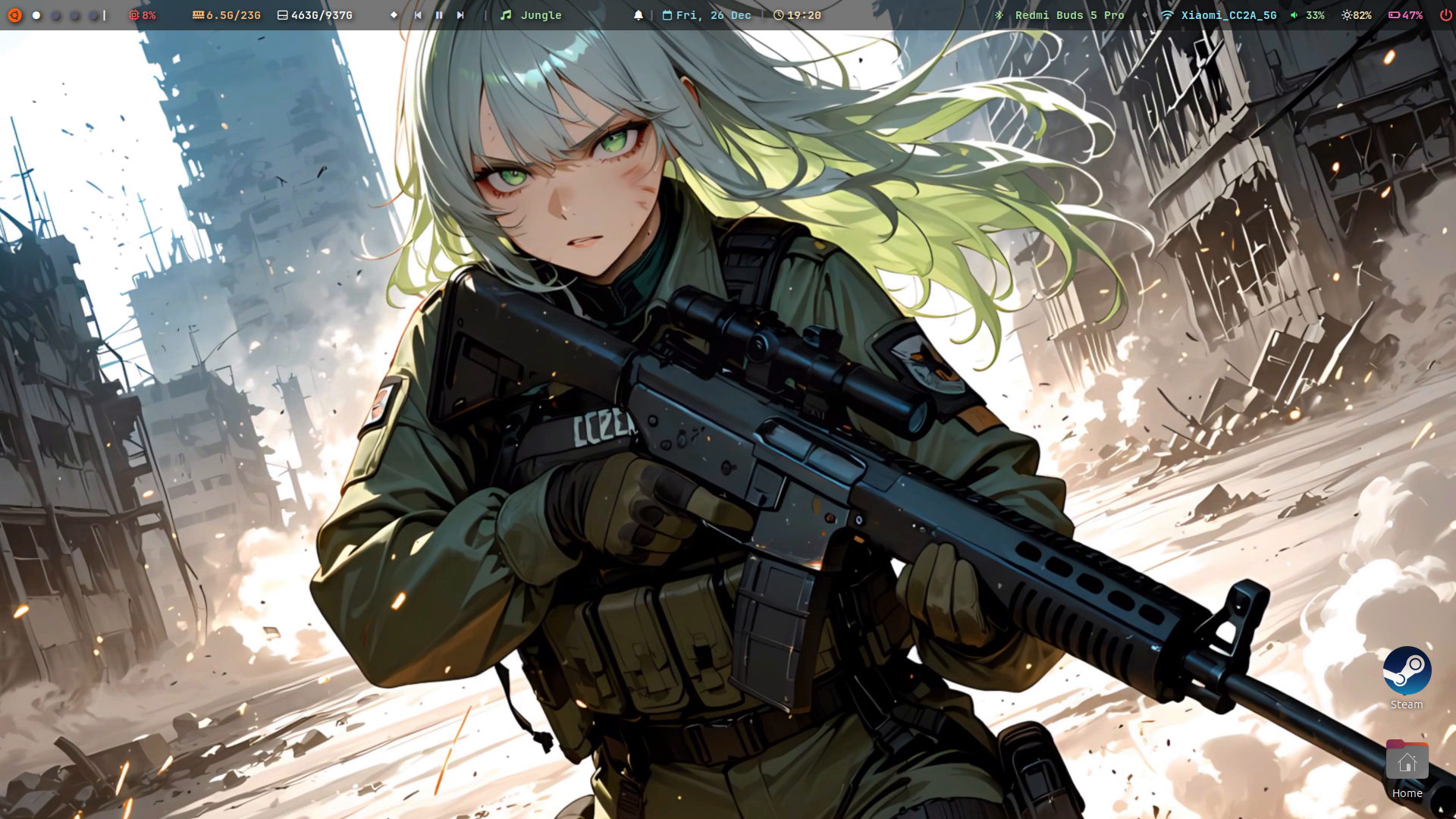
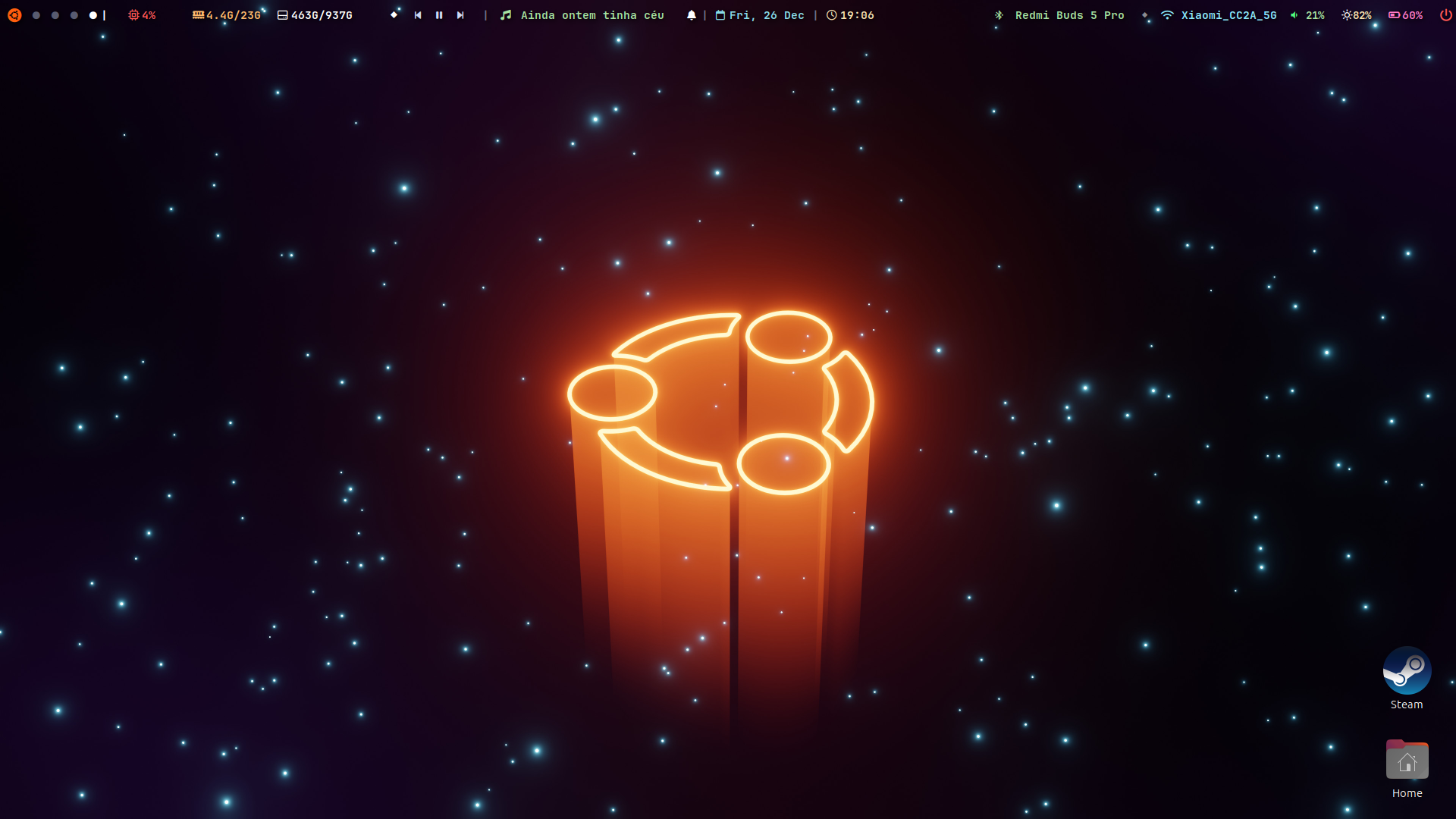
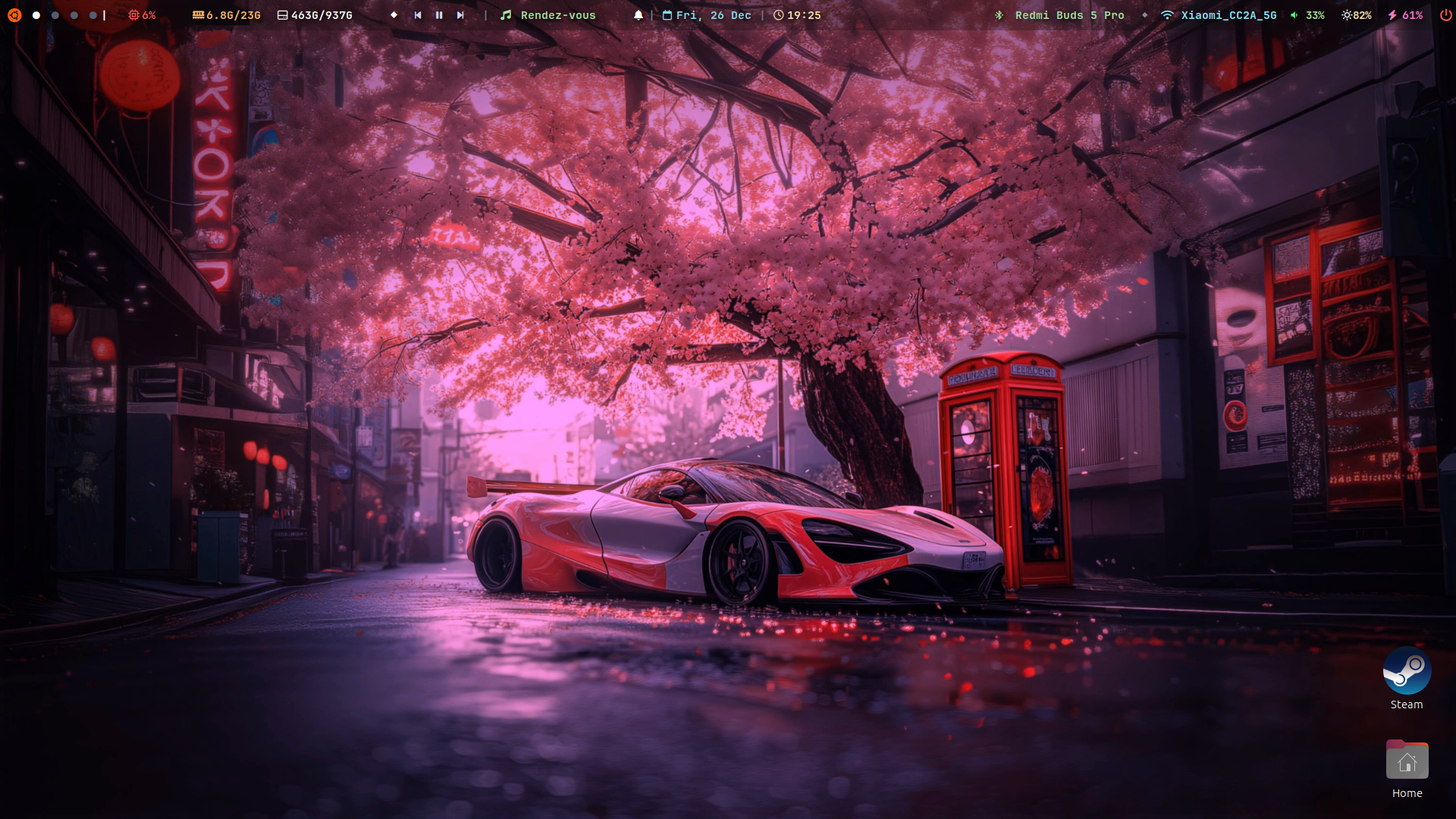
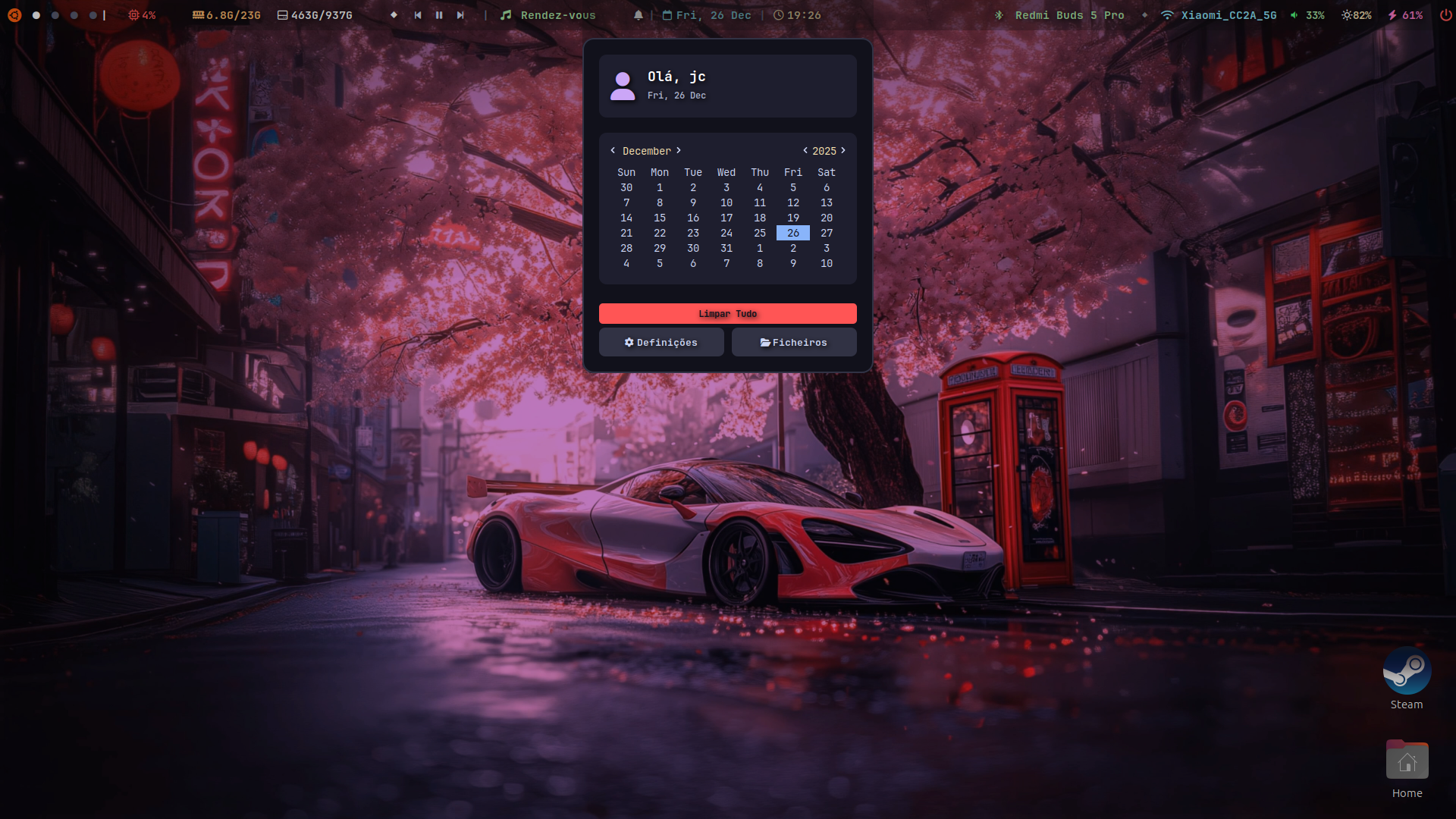
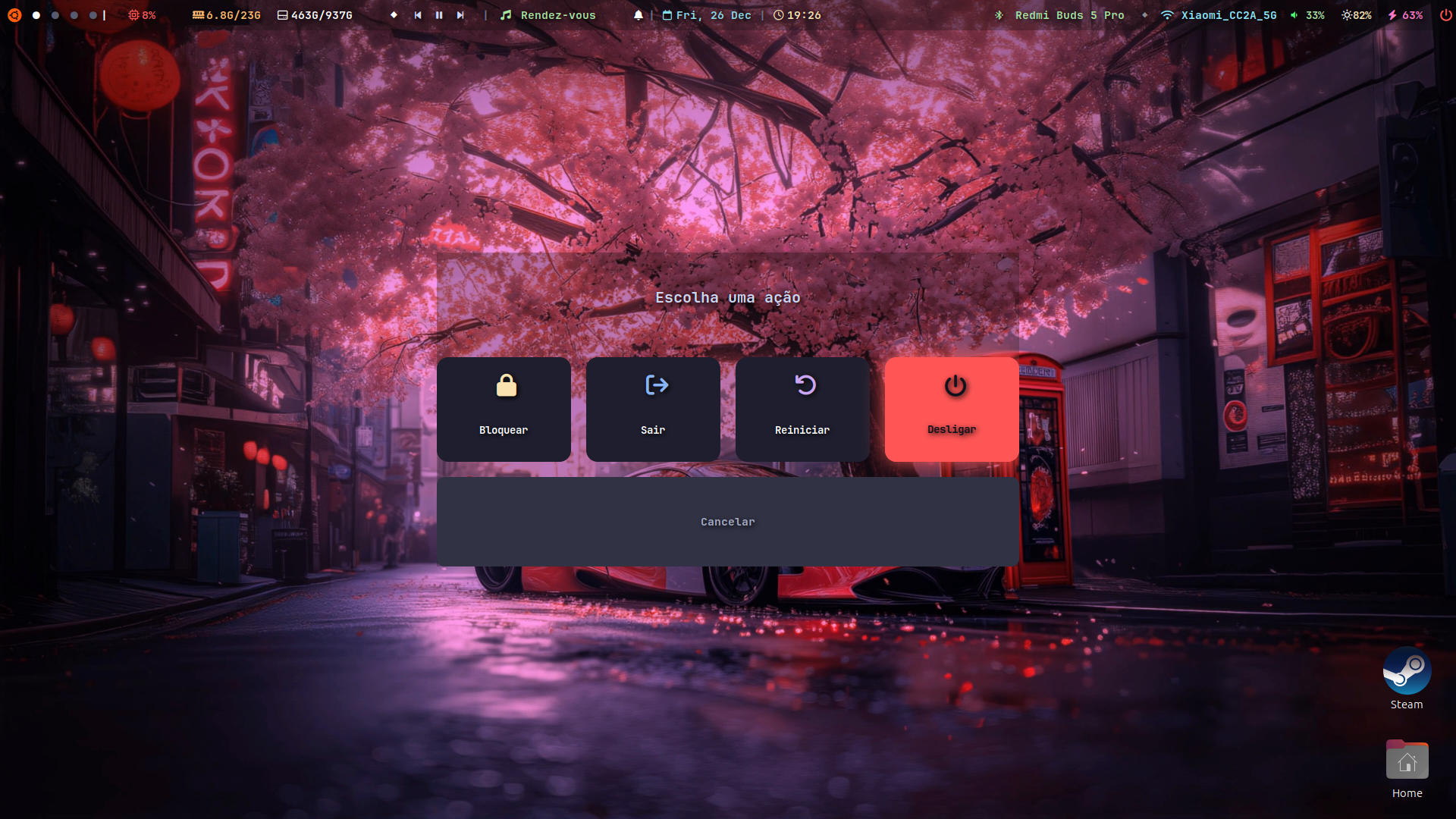
A complete and customized setup for Eww (ElKowars wacky widgets). Includes a dynamic top bar, a persistent notification dashboard, and control popups for Music, Wi-Fi, and Bluetooth.
Style: Minimalist / Dark / Neon Accents.
✨ Preview
🛠️ Features
- 🎵 Smart Music Player:
- Automatically detects Spotify or other players via
playerctl. - Displays Title/Artist and controls (Play/Pause/Next) directly on the bar.
- Dedicated popup with cover art (icon) and advanced controls.
- Robust Python script that safely ignores read errors.
- Automatically detects Spotify or other players via
- 🎥 Native Screen Recorder:
- Zero Latency: Uses GNOME’s built-in Screencast service (PipeWire) instead of heavy FFmpeg CLI wrappers.
- Custom Extension: Includes a helper GNOME extension to programmatically stop recordings (works on X11 & Wayland).
- Timer indicator on the bar while recording.
- 🔔 Notification Center:
- Notification history (you won’t miss anything if you step away).
- “Clear All” button.
- Background Python script with a DBus listener.
- 📶 Connectivity:
- Wi-Fi Menu: Lists networks, shows signal strength and IP address.
- Bluetooth Menu: Lists paired devices, connect/disconnect with one click, and a Power On/Off toggle.
- 💻 System:
- CPU, RAM, and Battery monitoring.
- Calendar and Clock.
📦 Dependencies
For everything to work correctly, you need to install the following tools on your system (Ubuntu/Debian/Arch):
1. Base Tools
- Eww (Obviously)
python3(For logic scripts)wmctrl(For apps focus control)xdotool(Required to trigger the recording menu/ Spotify like button)playerctl(To control music)socat&jq(Common Eww utilities)- Nerd Fonts (Required for icons. Recommended: JetBrains Mono Nerd Font)
# Ubuntu/Debian
sudo apt install python3 playerctl jq socat wmctrl xdotool
2. Python Libraries
pip3 install dbus-python
# Or via apt:
sudo apt install python3-dbus
🚀 Installation
- Clone the repository:
git clone https://github.com/Jcerqueira9913/eww-bar-config-ubuntu.git ~/.config/eww
- Install the Helper GNOME Extension: This is required for the Screen Recorder “Stop” button to work.
cd ~/.config/eww
chmod +x install_extension.sh
./install_extension.sh
Note: The script will ask to restart GNOME Shell (X11) or prompt you to Logout/Login (Wayland) to enable the extension.
- Give execution permission to scripts:
chmod +x ~/.config/eww/scripts/*
- Start the bar:
eww open bar
⚠️ Important Note About Spotify
If you use Spotify installed via Snap (Ubuntu Store), the music widgets will not work due to sandbox security restrictions.
Recommended Solution: Remove the Snap version and install the official .deb version.
⚙️ Start on System Boot
To automatically start the bar and the notification script:
- Open Startup Applications.
- Add the following entries:
| Name | Command |
|---|---|
| Eww Daemon | eww daemon |
| Eww Bar | eww open bar |
| Eww Notifs | /home/YOUR_USER/.config/eww/scripts/notifications.py |
🤝 Contributing
Feel free to fork the project, open issues, or suggest improvements!